1. Go to the Template Demo Site: https://templatedemo.focuspointsap.com
2. Browse Templates
See which template will best fit your desired look and feel. To change the template theme, scroll to the bottom of the page. Select a theme from the dropdown menu in the footer.
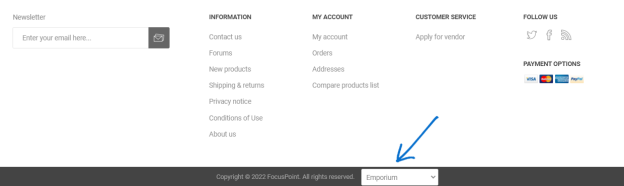
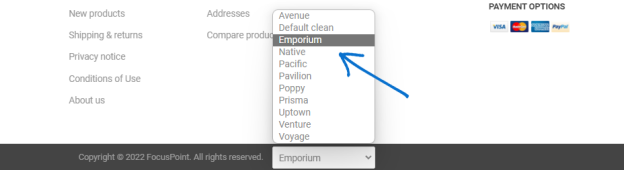
Take a look at the home page layout, menu(s), footer, etc.
3. Click on a Category (ex. Products > Helmets)
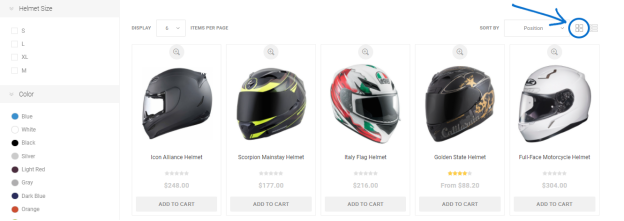
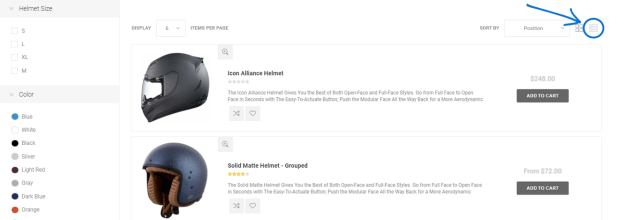
You’ll want to preview your theme on category pages also. Toggle the view from a grid to list view and check to see how the filters are displayed…
4. View Product Detail Pages
Click on any product and take a look at the layout of the product detail pages in different themes. Check out the image(s), button placement, text layout, etc. We can remove things like product reviews, manufacturer, add to wish list and social media sharing. Template theme colors can also be changed.
The following screenshots show the same product page in 4 different themes:
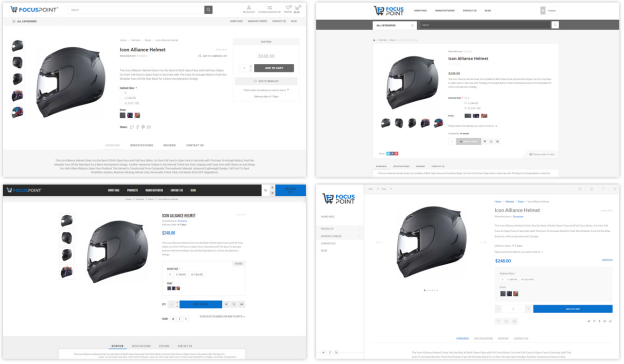
There are additional themes also, but we will take a closer look at these 4…
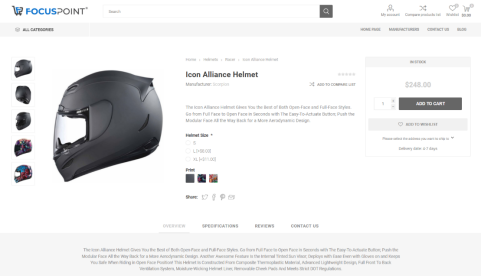
a. Emporium (top left)
Note the 3 columns: left column for the product images, middle column for the short description and right column for price and Buy Now button. Long description, specifications and reviews are below.
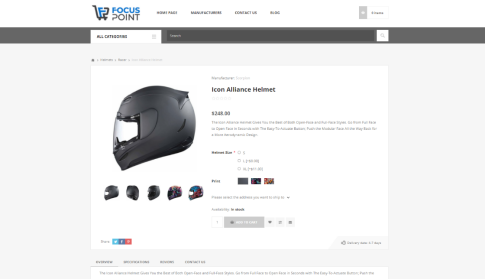
b. Pavilion (top right)
Smaller content area; column for product images and social media links, right column for title, price, short description and buy now button. Long description, specifications and reviews are below in a separate box.
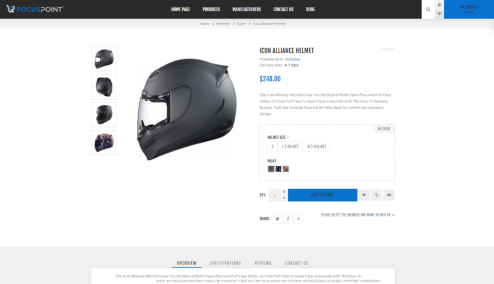
c. Venture (bottom left)
A high-contrast design, bold fonts, left column for product images and right column for short description, price and buy now button, along with social media links. Long description and specifications are below.
d. Poppy (bottom right)
Left main navigation which decreases the width of the content area but allows for the content to display high up on the page.
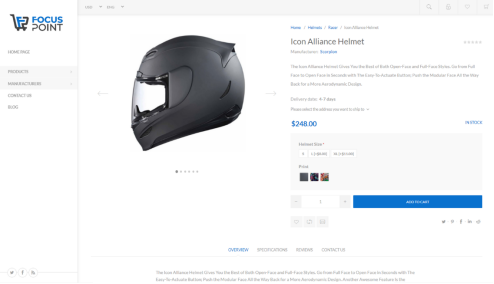
5. Final Template Selection
After you have a chance to review all available website templates, please let your Project Manager know when you have made your final selection. From there, the FocusPoint team will install the selected template, and it will be the basis for your site look and feel.
Was this article helpful?
That’s Great!
Thank you for your feedback
Sorry! We couldn't be helpful
Thank you for your feedback
Feedback sent
We appreciate your effort and will try to fix the article