1. In SAP:
UDF needed at the BP level with the value
Additional field mapping needed with the SAP Field Name of MinOrder / FocusPoint Field Name of MinOrder / sending to the FocusPoint website
2. In FocusPoint create an Additional Field Mapping in the table

a. SAP Field Name MinOrder
b. FocusPoint Field Name MinOrder
c. Entity Name: Customer
d. Direction: Inbound
e. Default Value - leave blank
f. Formula: MinimumOrderAmountBP
g. Now sync the contact on the BP
When you go to the Admin end of FocusPoint the Business Partner tab
Select a BP, you will see:
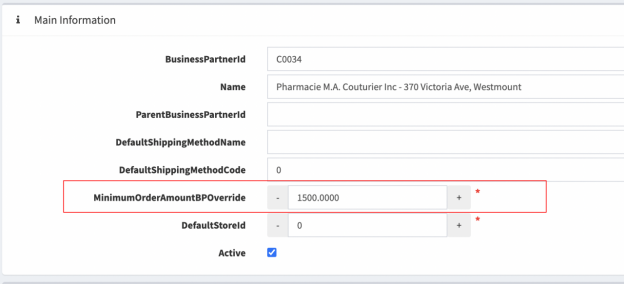
At the customer level you see:

Was this article helpful?
That’s Great!
Thank you for your feedback
Sorry! We couldn't be helpful
Thank you for your feedback
Feedback sent
We appreciate your effort and will try to fix the article