1. Log into B1iF
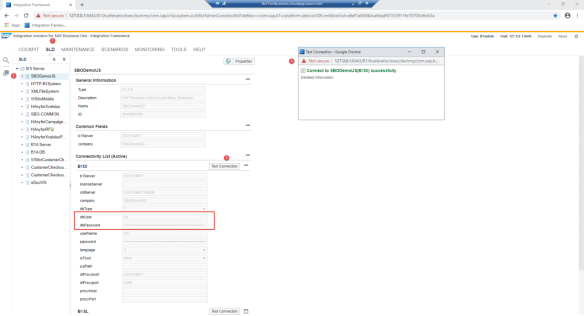
2. Navigate to SLD and select Database, test connection
a. If database connection is not successful check if the B1i user password is the same in Bi1F and SAP
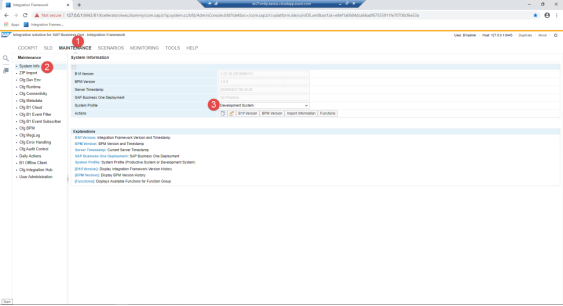
3. Switch to development mode if necessary.
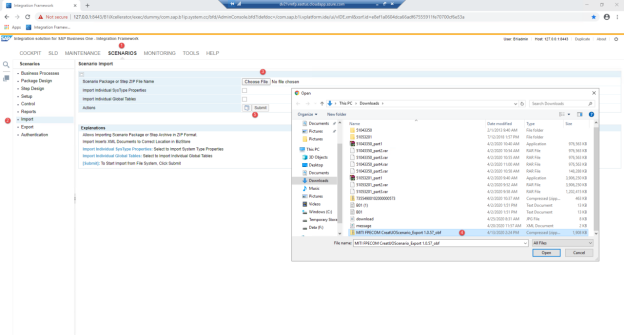
4. Import the Scripts
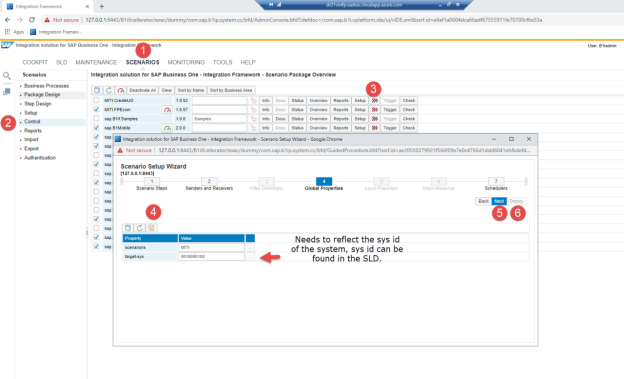
5. Set up Global Properties for the installation of the objects – Scenarios/Control/>>>/ click on next until you see Global Properties/Save/Click on Next/Deploy
6. Install the Add-Ons in the following order – selected the Scenario Package
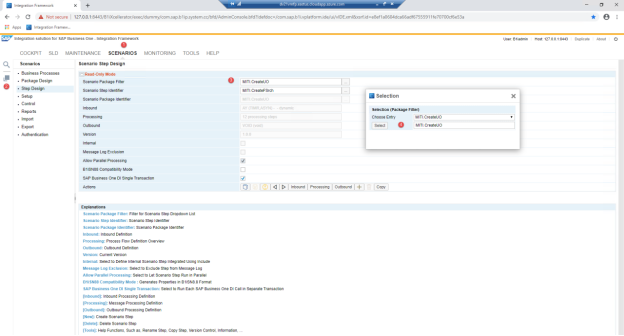
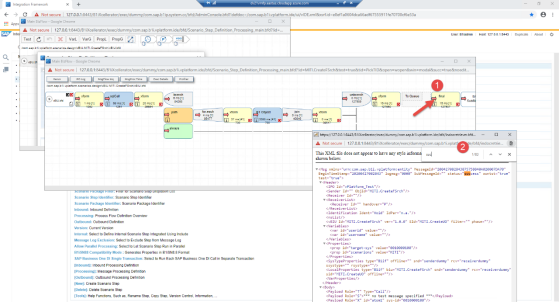
a. Install the Package Components in the following order, Scenario Step Identifierier, Chose Entry/Processing (order shown in the screenshot).
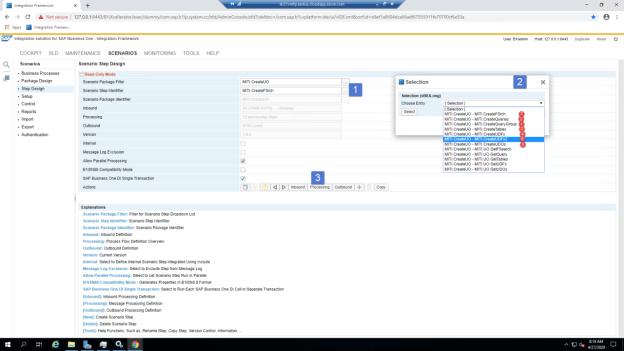
b. Click on Test to start the installation process
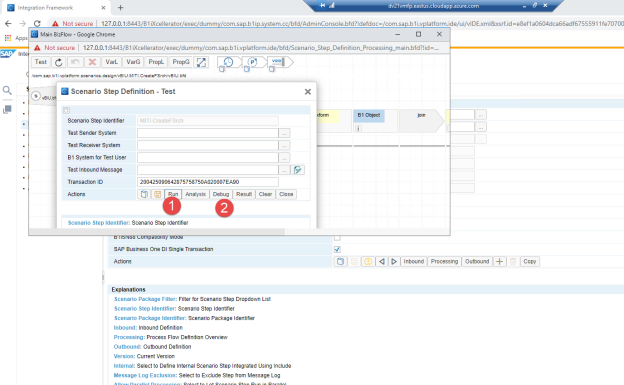
c. Click on Run. Once finished review the results by clicking on Debug
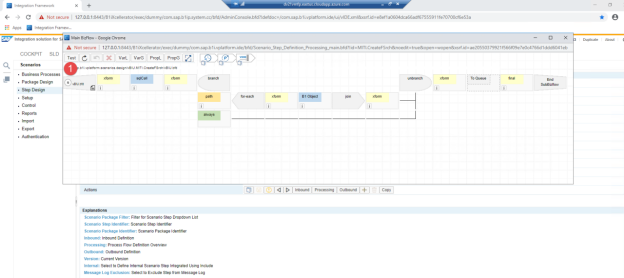
d. The executed process flow shows, click on final to review the status of the installation. Click on the Red Error in the Final Chevron (as shown in the screenshot). Search for the word failure. If the result is 0 script did run successfully. Close all windows. Repeat until all the components have been installed
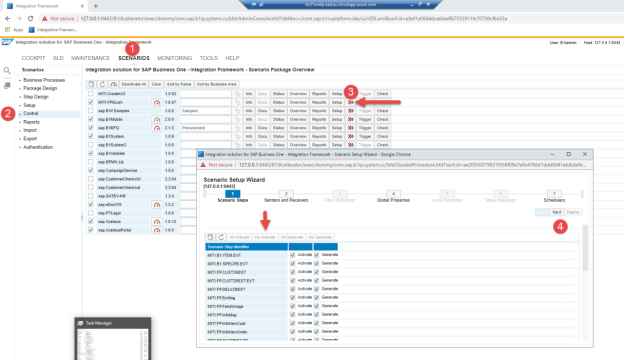
7. Activate the Integration Scripts/Leave them all deactivated/ We need to setup the Global Properties First/Click on Next
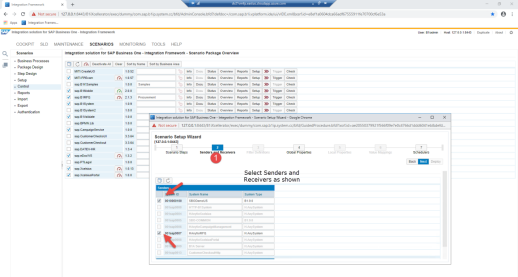
8. Set up Senders Receivers/Click on Next
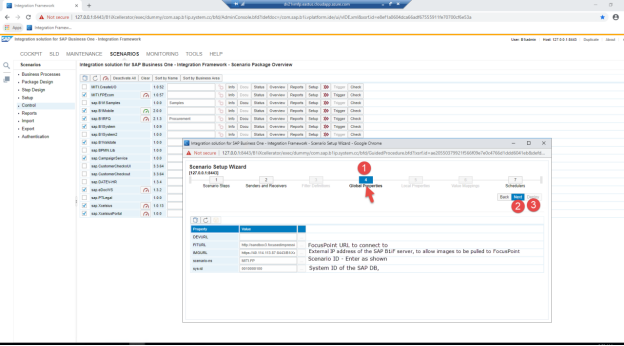
9. Enter Global Properties, click on next and deploy (refer to Settings Required During the Installation Process – B1iF and FocusPoint Examples on how to maintain these fields)
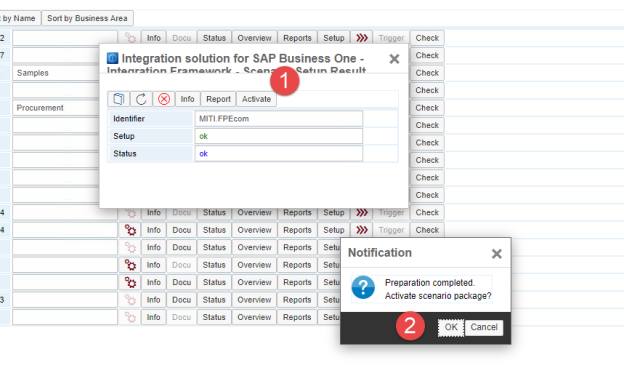
Activate the Scripts, checkbox to the left of the Scenario, pop up menu appears, click on activate and ok
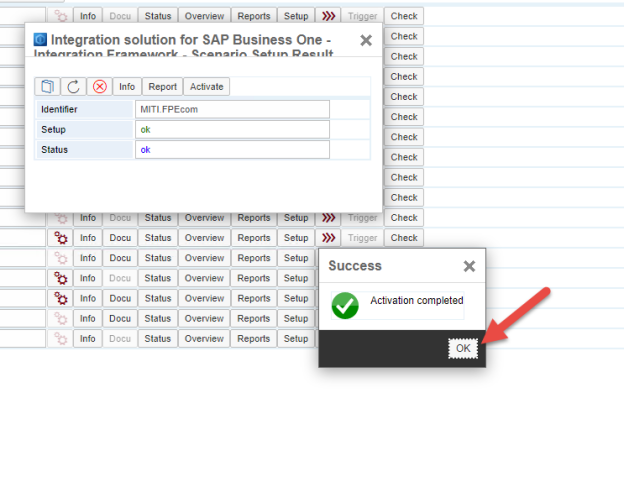
10. Next Message shows the successful activation
Settings Required During the Installation Process – B1iF and FocusPoint Examples:
FIT URL: http://nware1.focusedimpressions.com
Outside URL: 206.162.179.141
API Token Connection
http://nware1.focusedimpressions.com/Api/SendXMLV4?apiToken=70b6f1b3-d496-4208-a09b-d91c40e91345
FITIMAGES B1iF
https://206.162.179.141:8443/B1iXcellerator/exec/ipo/vP.001sap0007.in_HCSX/com.sap.b1i.vplatform.runtime/INB_HT_CALL_SYNC_XPT/INB_HT_CALL_SYNC_XPT.ipo/proc/image
New User Endpoint
https://206.162.179.141:8443/B1iXcellerator/exec/ipo/vP.001sap0007.in_HCSX/com.sap.b1i.vplatform.runtime/INB_HT_CALL_SYNC_XPT/INB_HT_CALL_SYNC_XPT.ipo/proc?portalAction=NewUser&bpm.pltype=xml
New Payment Endpoint
https://206.162.179.141:8443/B1iXcellerator/exec/ipo/vP.001sap0007.in_HCSX/com.sap.b1i.vplatform.runtime/INB_HT_CALL_SYNC_XPT/INB_HT_CALL_SYNC_XPT.ipo/proc?portalAction=CreateNewPayment&bpm.pltype=xml
Sales History Endpoint
https://206.162.179.141:8443/B1iXcellerator/exec/ipo/vP.001sap0007.in_HCSX/com.sap.b1i.vplatform.runtime/INB_HT_CALL_SYNC_XPT/INB_HT_CALL_SYNC_XPT.ipo/proc?portalAction=getOrderHistory
Category History Endpoint
https://206.162.179.141:8443/B1iXcellerator/exec/ipo/vP.001sap0007.in_8h1-01.cloudiax.coHCSX/com.sap.b1i.vplatform.runtime/INB_HT_CALL_SYNC_XPT/INB_HT_CALL_SYNC_XPT.ipo/proc?portalAction=Categories&bpm.pltype=xml
Get Price Update FP3.01 Global Product
https://206.162.179.141:8443/B1iXcellerator/exec/ipo/vP.001sap0007.in_HCSX/com.sap.b1i.vplatform.runtime/INB_HT_CALL_SYNC_XPT/INB_HT_CALL_SYNC_XPT.ipo/proc?portalAction=getItemPrices
Was this article helpful?
That’s Great!
Thank you for your feedback
Sorry! We couldn't be helpful
Thank you for your feedback
Feedback sent
We appreciate your effort and will try to fix the article