Using this functionality, Focuspoint allows your customers to see and download a pdf version of their invoices directly from sap and with the same layout you use in sap.
And for this to work you need to do the following sap setups:
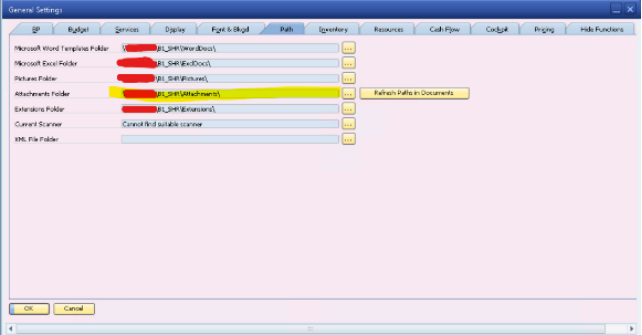
1. In the general settings (Administration – system initialization – general settings – path tab), make sure you defined the folder path for the attachment folder.
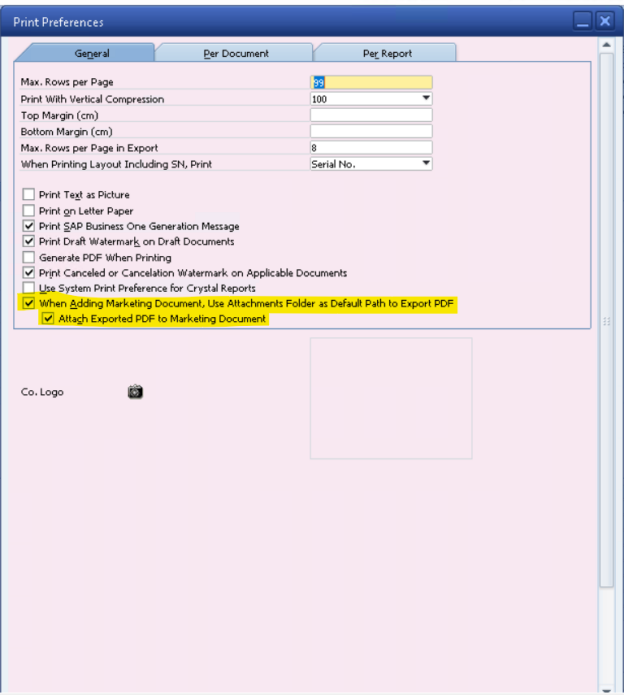
2. In print preferences (Administration – system initialization – print preferences – general tab), select the two check boxes highlighted in the following screenshot.
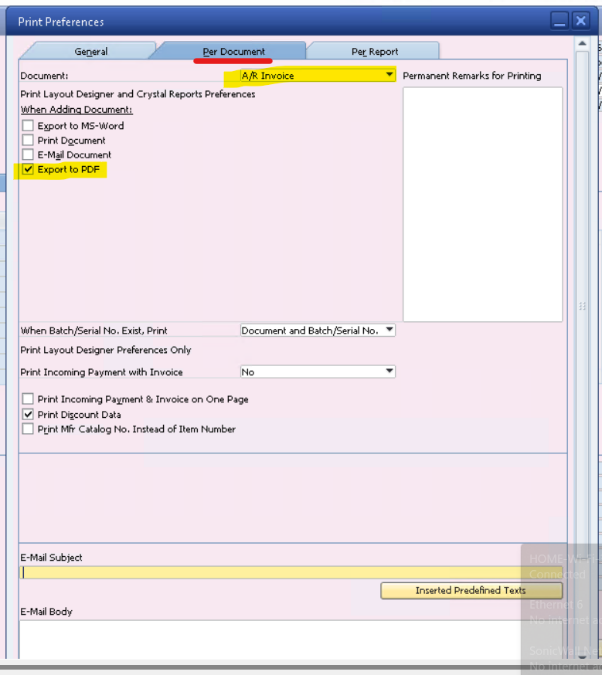
3. In print preferences (Administration – system initialization – print preferences – per document tab), select from the document type: AR invoice (or any other document: ex: Incoming Payment)
Then select the highlighted checkbox in as in the screenshot.
When you create a new sales invoice, the system will automatically export a PDF document and attach it to the new invoice with the following naming structure.
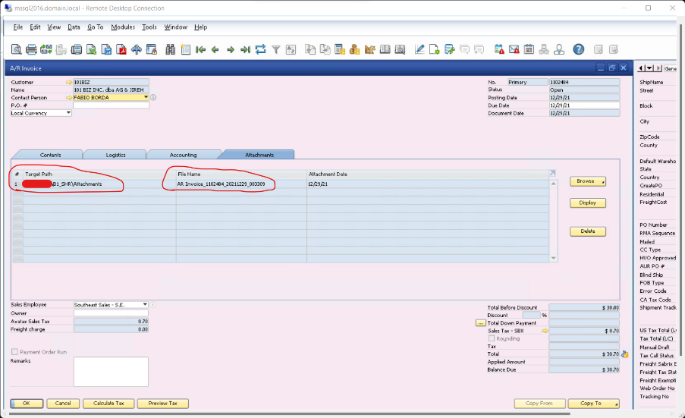
Please note that it is important to have the same naming structure AR Invoice_**** (**** means anything) and be stored in the default attachments
Was this article helpful?
That’s Great!
Thank you for your feedback
Sorry! We couldn't be helpful
Thank you for your feedback
Feedback sent
We appreciate your effort and will try to fix the article