1. Bulk SEO
To manage things like setting and duplicate meta descriptions and title tags we have the Bulk SEO tool. This allows you to export the SEO for all products. You can then edit the excel (attached) and upload it through the green import SEO tab..

The excel has the Keywords, Description, Title, SE Name and Sku

2. Smart SEO
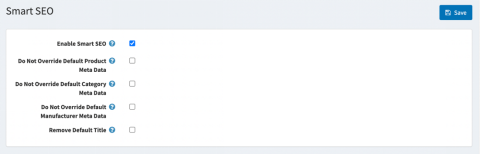
This is something that can be used to begin managing your SEO in seconds (while you are preparing your Bulk SEO upload)
- You can override default product, category or manufacturer meta data.
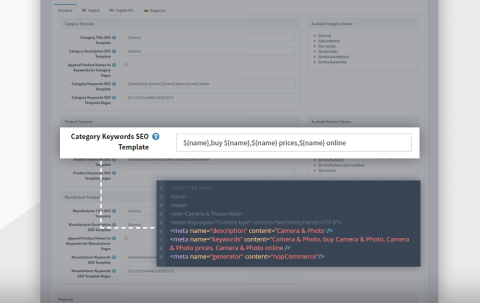
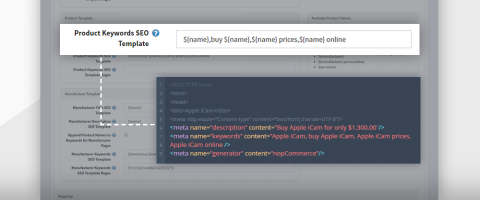
- You can create as many SEO templates as you need. The templates can be: global - applied through the whole website and on all category, product and manufacturer pages; or local - applied only on a specific category/manufacturer pages.
- There are category, product and manufacturer tokens available.
Was this article helpful?
That’s Great!
Thank you for your feedback
Sorry! We couldn't be helpful
Thank you for your feedback
Feedback sent
We appreciate your effort and will try to fix the article