How-To Instructions: Placing an Order as a Customer
1. Impersonate a Customer
2. Place an Order
3. Finish Impersonation
1. Impersonate a Customer
-
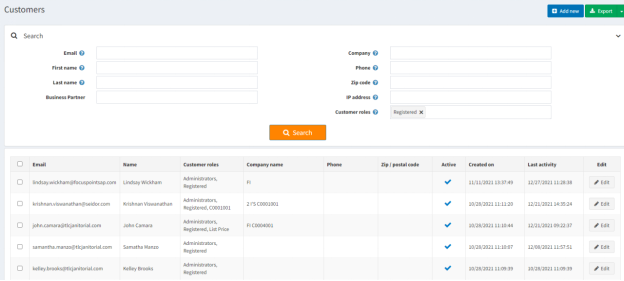
* Select the customer you want to place a test order for from your customer list: * [https://yourURLhere.focuspointsap.com/Admin/Customer/List](https://yourURLhere.focuspointsap.com/Admin/Customer/List) -
* Click ‘Edit’ on the individual you wish to impersonate.
2. Place Order
-
* ·Once you click Edit to see the customer’s profile, scroll down until you see “Place Order (Impersonate)” Click the orange Place Order button.

-
* You can now add items to your cart and continue to the checkout process.
3. Finish Impersonation
- Once you have added items to your cart and placed the simulated order, you must click ‘finish impersonated session’ at the top of the screen to exit the test.

Was this article helpful?
That’s Great!
Thank you for your feedback
Sorry! We couldn't be helpful
Thank you for your feedback
Feedback sent
We appreciate your effort and will try to fix the article