Moneris:
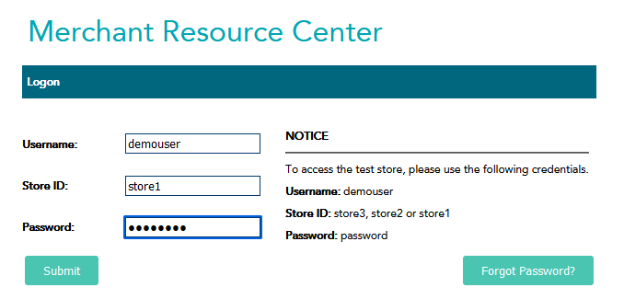
Sign in here using the credentials on the right of the box.
https://esqa.moneris.com/mpg/
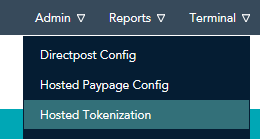
Go to admin -> Hosted tokenization
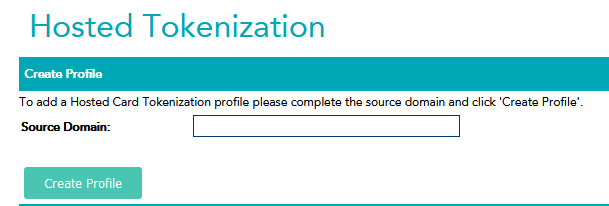
Enter the source domain (website URL) you are testing from and click Create Profile.
Then find it in the list to get the profile Id for entering into the field in the plugin configuration.
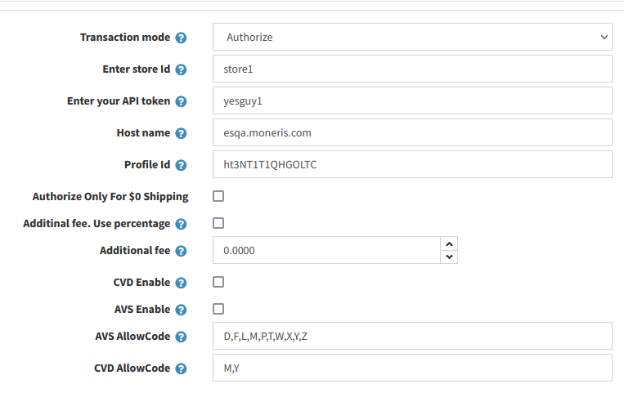
| store_id | api_token | username | password | |
|---|---|---|---|---|
| store1 | yesguy1 | demouser | password |
Was this article helpful?
That’s Great!
Thank you for your feedback
Sorry! We couldn't be helpful
Thank you for your feedback
Feedback sent
We appreciate your effort and will try to fix the article