1. Make Sure Email Account(s) Are Set Up
(CustomerWebsiteURL)/Admin/EmailAccount/List

- Click Edit
- Make sure the following is filled out properly:
Email Address, Host, Port, User, Password (this was probably already filled in but won’t display in FocusPoint for security purposes) and make sure SSL is selected
2. Set Up Customer Reminder
Advanced Visuals > Plugins > Customer Reminders
*Message template must be set up before saving this reminder
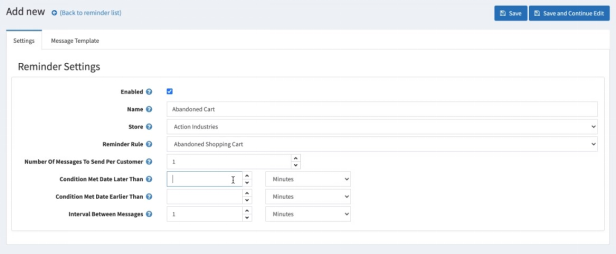
Make sure the following is filled out properly:
Enabled: (checked)
Name
Store
Reminder Rule: Abandoned Shopping Cart
Number of messages to send per customer
Condition met date later than
Condition met date earlier than: (can be blank)
Interval between messages
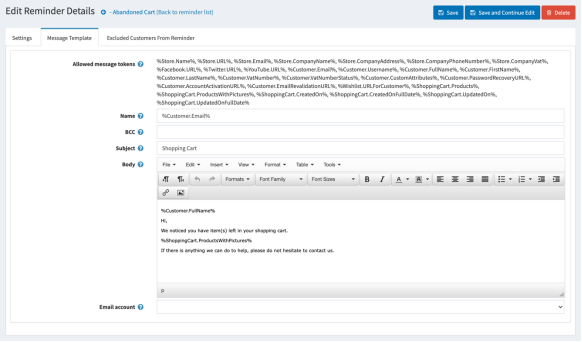
Message Template – using the message tokens, create your message template
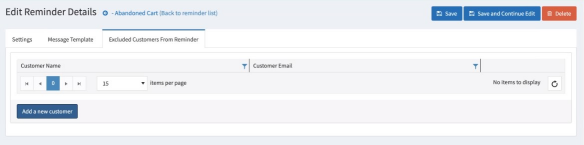
Exclude Customers (if applicable). These customers will not receive the email reminder.
Was this article helpful?
That’s Great!
Thank you for your feedback
Sorry! We couldn't be helpful
Thank you for your feedback
Feedback sent
We appreciate your effort and will try to fix the article